
Top 10 Virtual Party Games Using Spin Wheels (Perfect for Zoom, Teams, and Family Nights)
Looking for fun ways to beat Zoom fatigue? Discover the top 10 virtual party games using interactive spin wheels. From trivia roulette to virtual scavenger hunts, learn how to run engaging games for remote teams and family nights.

Introduction
Virtual gatherings have become a permanent fixture of our personal and professional lives. Whether it is a Friday afternoon team happy hour with colleagues across the globe, a virtual birthday party, or a weekend family catch-up, video calls keep us connected. However, as anyone who has sat through a quiet, awkward remote meeting knows, virtual meetings can quickly become draining. "Zoom fatigue" is real, and the traditional format of taking turns to speak can feel structured and unengaging.
To break the ice and bring energy back to online calls, you need interactive games that encourage participation without putting anyone on the spot.
One of the most effective ways to do this is by incorporating an interactive digital spin wheel. A digital spinner introduces an element of unpredictability, visual excitement, and fair play that physical games cannot replicate.
In this comprehensive guide, we explore the top 10 virtual party games using digital wheels that you can play on Zoom, Microsoft Teams, Google Meet, or Webex. These games are designed to keep energy levels high, spark laughter, and ensure everyone participates.
Why Spin Wheels Are Perfect for Virtual Socials
Before diving into the games, it is helpful to look at why virtual spin wheels are so effective for online gatherings:
- Visual Screen-Share Integration: Modern video calling platforms allow you to share your screen with a single click. Sharing a colorful, spinning wheel gives all participants a shared focal point, making the event feel like a live TV game show.
- Dynamic Randomness: When a host chooses who speaks or what happens next, it can feel biased or put unnecessary pressure on introverted participants. A random spinner shifts the "blame" to chance, creating a relaxed, low-stakes environment.
- High Customizability: Unlike physical board games, a digital wheel can be updated instantly. You can change names, prompts, categories, and colors in seconds to fit the exact theme of your party.
- Mobile and Desktop Friendly: Participants can access tools like a free online name picker on their own devices or simply watch the host spin, keeping the barriers to entry extremely low.
Let us explore the top 10 virtual party games you can host at your next online event.
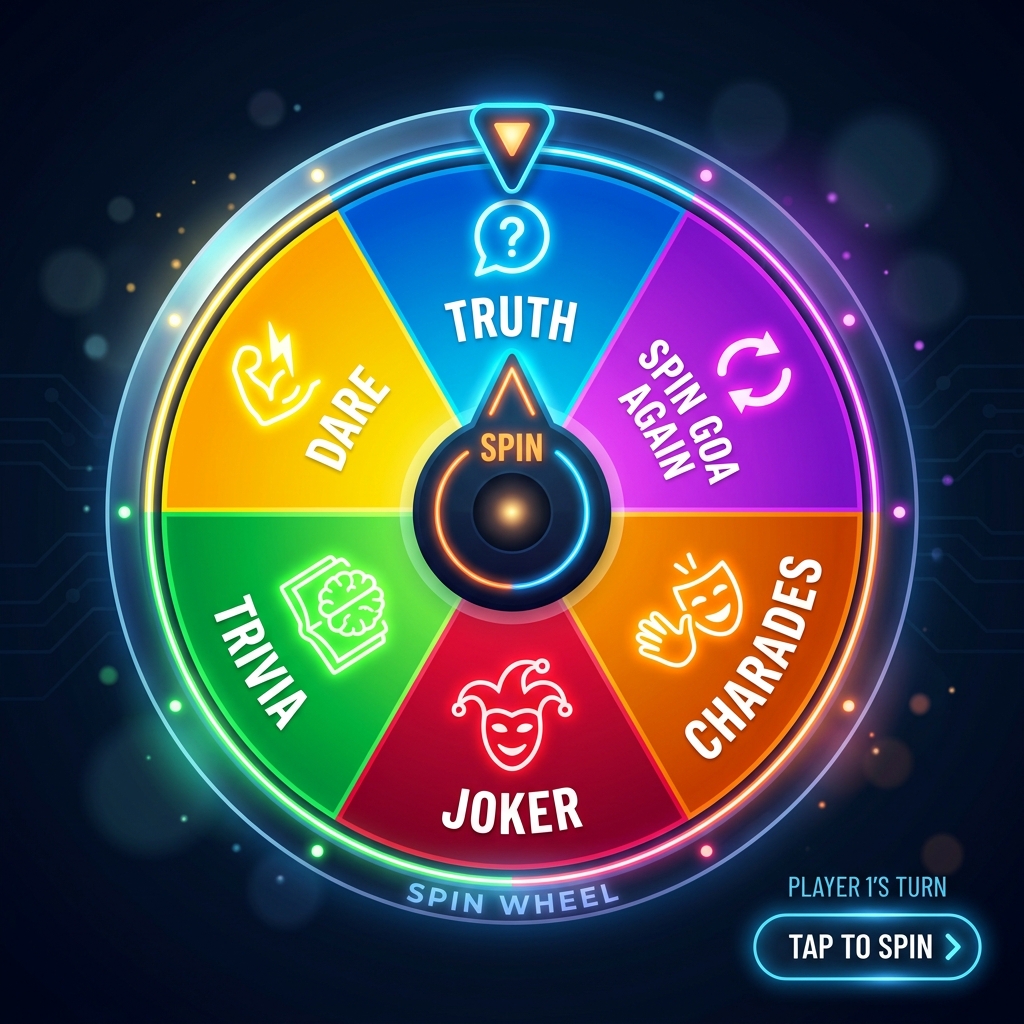
Top 10 Virtual Party Games Using Spin Wheels
1. Trivia Category Roulette
Trivia is a classic party favorite, but playing it online can sometimes feel like a dry school quiz. By adding a category roulette wheel, you introduce a game-show atmosphere.
- How to Set It Up: Create a wheel with different trivia categories. Examples include: Pop Culture, 90s Music, Space & Science, Food & Drink, World History, and Weird Facts.
- How to Play: Divide your participants into teams or play individually. For each turn, spin the category wheel. Once the category is selected, the host reads a question from that category. Give teams 30 seconds to write down their answer or type it into a private chat to the host.
- Why It Works: It prevents trivia experts from dominating by introducing categories they might not be familiar with, leveling the playing field.
2. Truth or Dare: Virtual Edition
The classic party game can be easily adapted for a virtual environment. The digital wheel ensures the prompts are kept light, fun, and appropriate for the group.
- How to Set It Up: Create a wheel with alternating "Truth" and "Dare" segments, or create two separate wheels—one filled with fun truth questions and another with silly virtual dares.
- How to Play: Spin the name picker wheel to choose a player. That player then spins the Truth or Dare wheel.
- <em>Virtual Truths</em>: "What is the weirdest habit you developed while working from home?" or "What is the last thing you searched for on Google?"
- <em>Virtual Dares</em>: "Do your best impression of a famous celebrity for 15 seconds" or "Show the group the most unusual item within arm's reach."
- Why It Works: Using pre-selected prompts on a wheel keeps the game safe and professional for corporate team building while maintaining a fun atmosphere.
3. Virtual Scavenger Hunt Selector
Scavenger hunts get people up and moving, which is a great way to combat the stiffness of sitting in front of a computer screen.
- How to Set It Up: Populate the wheel with descriptions of common household objects. Examples: "Something blue," "A book with a yellow cover," "An unusual kitchen tool," "Something you bought but never used," or "A souvenir from a trip."
- How to Play: Spin the wheel. As soon as the pointer lands on an item, all players must run and find it in their home. The first person to return to their camera and display the object wins a point for that round.
- Why It Works: It adds physical movement and friendly competition, making the call feel much more dynamic than a standard chat.
4. Accent & Voice Impersonation Challenge
This game is a guaranteed source of laughter, especially for close-knit teams or family nights.
- How to Set It Up: Create a wheel featuring various accents, characters, or speaking styles. Examples: Shakespearean English, Pirate, Cowboy, Robot, Opera Singer, Whispering, or Sports Caster.
- How to Play: Use a random name picker to select a player. Then, spin the voice wheel. The selected player must read a simple paragraph, explain their job, or answer a question using the voice or accent chosen by the wheel for 30 seconds.
- Why It Works: It encourages players to step out of their comfort zones in a highly supportive, humorous setting.
5. Never Have I Ever: Digital Showdown
"Never Have I Ever" is an excellent way to learn surprising facts about your friends or coworkers.
- How to Set It Up: Load a wheel with lighthearted, non-offensive prompts. Examples: "...sent an email to the wrong person," "...eaten pizza for breakfast three days in a row," "...fallen asleep during a virtual meeting," or "...bought a piece of clothing just for a Zoom call."
- How to Play: Every player starts with five fingers up (or five points). Spin the wheel to select a prompt. Any player who has done the action must lower a finger. The last player with fingers remaining wins the round.
- Why It Works: It reveals shared habits and fun background stories in a structured, comfortable format.
6. Would You Rather? Debate Roulette
This game sparks friendly debates and highlights how different people think.
- How to Set It Up: Fill the wheel with classic "Would You Rather" dilemmas. Examples: "...only eat sweet food or only eat savory food for the rest of your life?" or "...have the ability to fly but only at walking speed, or teleport but only once a week?"
- How to Play: Spin the wheel to select a dilemma. The host splits the group into two sides based on their choice. Give each side 1 minute to debate and defend their choice to the other group.
- Why It Works: It encourages conversation and debate, which is perfect for building communication skills in remote teams.
7. Mystery Storyteller Prompt Wheel
Cooperative games are excellent for building team cohesion and sparking creative thinking.
- How to Set It Up: Put random genres, settings, or plot points on the wheel. Examples: "In a haunted library," "During a zombie apocalypse in a supermarket," "A detective who is afraid of the dark," or "With a pet parrot that knows too much."
- How to Play: Spin the wheel to select the starting premise. The host then spins a name wheel to pick the first storyteller. That player starts the story with one sentence. The host spins again to select the next player, who must add the next sentence, building a collaborative story.
- Why It Works: It requires active listening and quick thinking, creating unique and humorous stories.
8. Digital Charades Picker
Charades is a party staple, but selecting prompts secretly can be tricky in a virtual setting. Using a shared digital wheel makes it easy.
- How to Set It Up: Create a wheel with movie titles, books, animals, or actions.
- How to Play: When a player's turn arrives, the host privately messages them the prompt that the wheel landed on (or the player spins a separate prompt wheel on their device). The player must act out the prompt on their webcam while muted, and the rest of the team guesses in the chat.
- Why It Works: Keeping prompts randomized and hidden via digital selection makes the game fair and fast-paced.
9. Quick-Fire Icebreaker Wheel
If you are looking for a quick warm-up before a formal meeting or project review, a quick-fire icebreaker wheel is the perfect choice.
- How to Set It Up: Load the wheel with fast, opinion-based questions. Examples: "Is a hotdog a sandwich?", "Pineapple on pizza: yes or no?", "Cats or dogs?", "Early bird or night owl?", or "Best superpower: flight or invisibility?"
- How to Play: Spin a name wheel to select a participant, then spin the question wheel. The selected person must answer instantly without overthinking.
- Why It Works: It takes less than five minutes, breaks the silence, and gets everyone talking before moving into business topics.
10. The Virtual Door Prize Wheel
Ending a virtual party with a giveaway leaves everyone with a positive impression and keeps engagement high until the very last second.
- How to Set It Up: Enter the names of all attendees onto the name picker wheel.
- How to Play: At the end of the event, the host shares their screen and spins the wheel to award virtual prizes. Prizes can include digital gift cards, online subscription months, or company swag.
- Why It Works: It creates a high-energy climax for the call and shows appreciation for the participants' time.
Best Practices for Hosting Spin Wheel Games
To ensure your virtual game night runs smoothly, keep these practical tips in mind:
| Tip | Description | Why it Matters |
|---|---|---|
| Test Screen Sharing | Before the event, check your platform's screen sharing settings to ensure the spin animation renders smoothly without lag. | Avoids technical delays. |
| Enable Audio Sharing | Many digital wheels feature realistic clicking sounds and celebratory music when landing on a slice. Turn on "Share computer sound" when sharing. | Adds to the game-show atmosphere. |
| Appoint a Host | Designate one person as the Game Master to share their screen, spin the wheels, and keep track of scores. | Keeps the game moving quickly. |
| Keep Rounds Short | Limit each game to 15-20 minutes to prevent players from losing focus or getting screen fatigue. | Maintains high energy. |
Summary
Hosting virtual party games does not have to be complicated. By using an interactive random name picker wheel, you can easily transform passive video calls into highly engaging, dynamic socials. Whether you are running a casual family trivia night or a structured corporate icebreaker, these ten games are guaranteed to spark conversation, build connections, and make your next remote gathering memorable.
Next time you plan a virtual social, load up a custom spinner, share your screen, and let the wheel decide!